How to Update Room Under Maintenance in eZee Absolute
By Lucas Koomson on February 25, 2025
BeginnerTo update a room under maintenance on ezee frontdesk, follow the steps below.
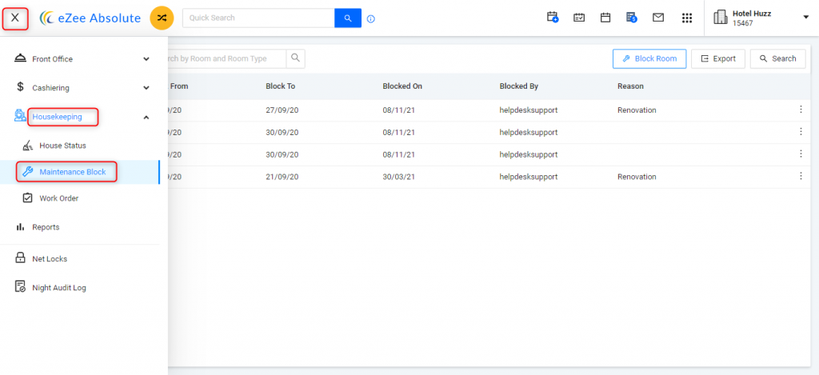
- Access Maintenance Block:
Navigate to: Menu (≡) > Housekeeping > Maintenance Block.
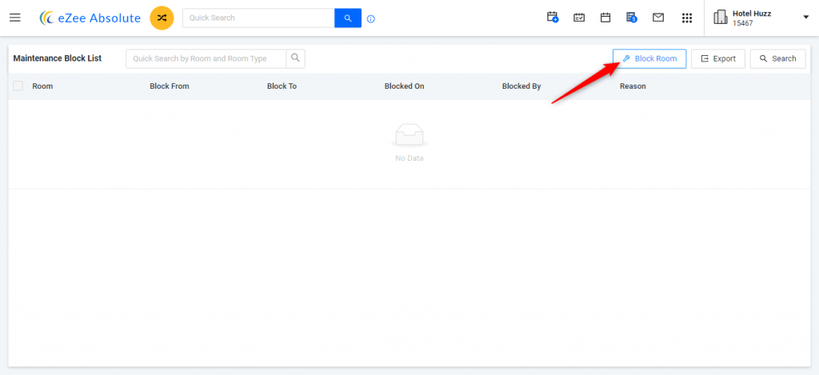
2. Block a Room:
Click 'Block Room'.
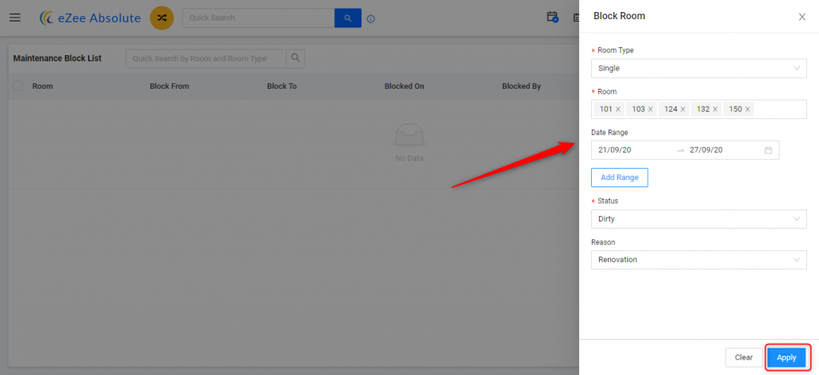
Select the room(s) and date(s) to block.
Save your changes.
Prerequisites:
Ensure housekeeping units, statuses, and remarks are configured: Housekeeping > Housekeeper, Unit, Status, Remarks.
User Privileges:
Verify that the user has 'Access to Block' permissions: Configuration > User > Edit User > Privileges > Housekeeping > Access to Block.
Important Note:
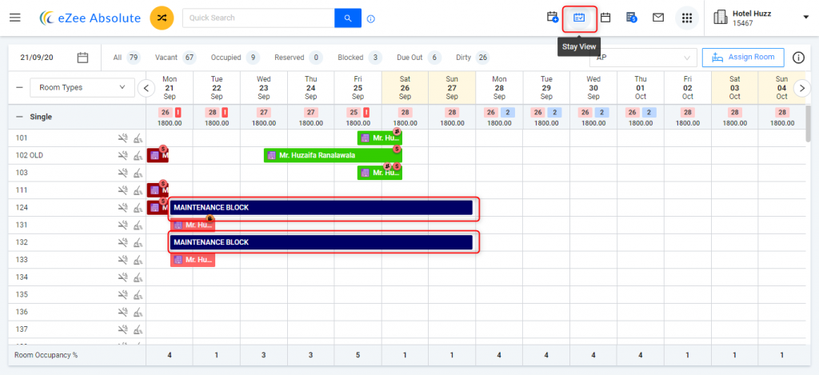
You can not block a room for any date containing a booking so if there is already a booking in the room within the duration you have selected then block operation won't be successful
No comments yet. Login to start a new discussion Start a new discussion