How to Update Dirty/ Clean Rooms in eZee Absolute
By Lucas Koomson on February 14, 2025
BeginnerTo update whether a room is dirty or clean. Follow the steps below.
- Login to eZee Absolute PMS
- Open the Stayview screen
- Right-click / tap on the desired room → Change Housekeeping Status
- Select the new status (Clean, Dirty, Inspection, Out of Service).
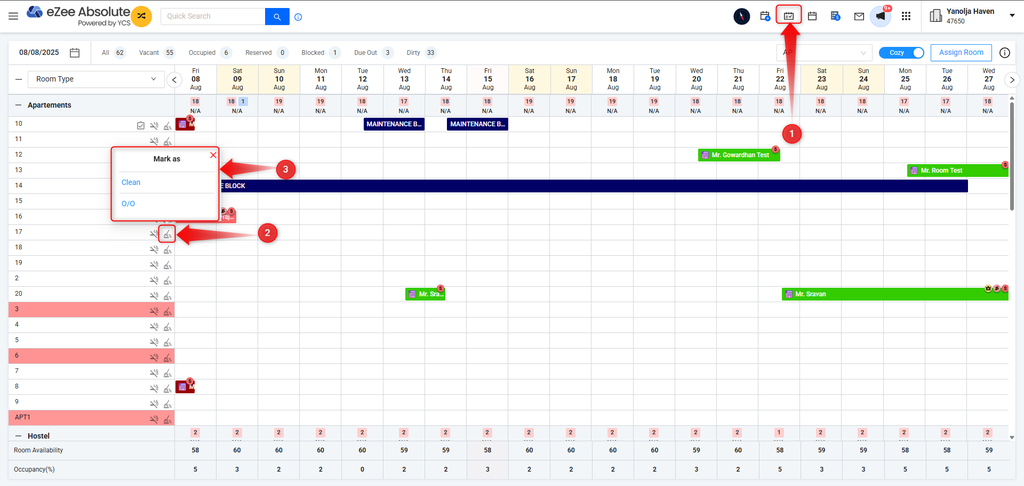
5. Status is updated instantly and reflects in both Housekeeping Reports and Frontdesk view
Was this article helpful?
No comments yet. Login to start a new discussion Start a new discussion