eZee PMS Licensing
By Benedict Abankwe on January 15, 2026
BeginnerInstructions on eZee Licensing (FrontDesk and Burrp! Back Office)
Note: The steps involved in activating licenses for eZee software packages on servers are performed twice - for the software itself and then for the modules in the software.
eZee FrontDesk
- Log into the client’s server
- Open eZee FrontDesk as Administrator
- Click on the Menu button located at the top right corner.
- Select License tab.
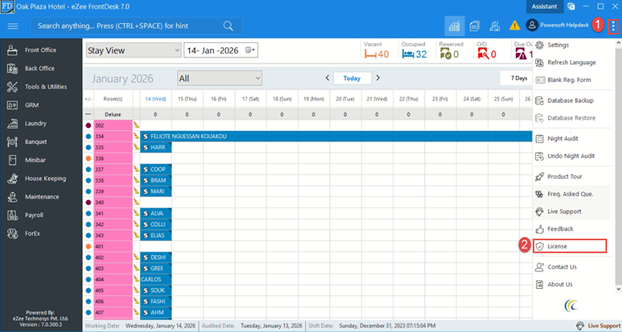
3. Click License information
4. Click Copy to clipboard.
- Forward copied details to Overall Administrator (CEO) to generate the License Serial No. and No. of Room Key.
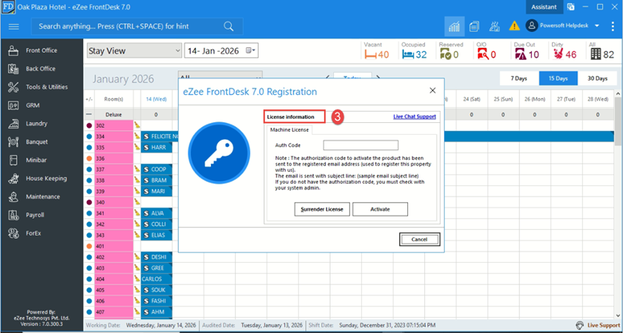
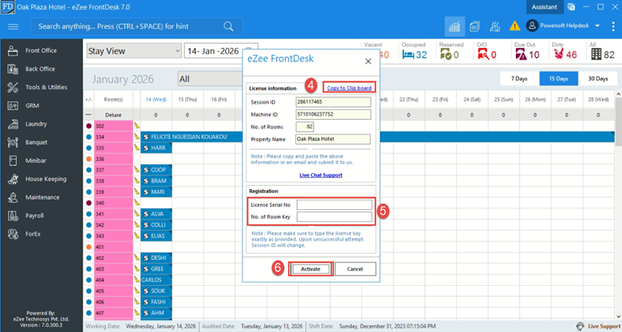
5. Paste these digits into the marked fields as shown.
6. Click on Activate.
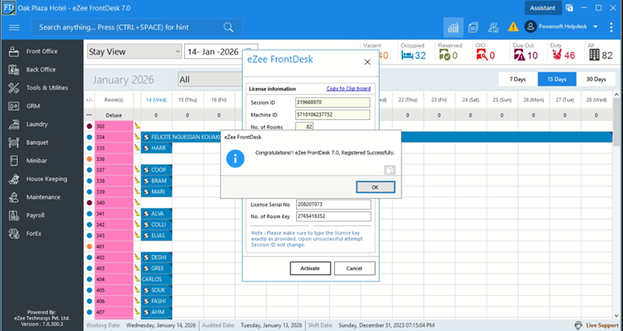
Note: Repeat steps 1-6 to relicense modules in the software.
eZee Burrp
- Log into the client’s server
- Open eZee Burrp as Administrator
- Click on the Menu button located at the top right corner.
- Select License tab.
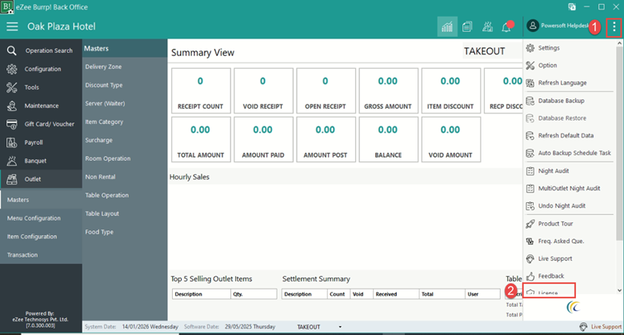
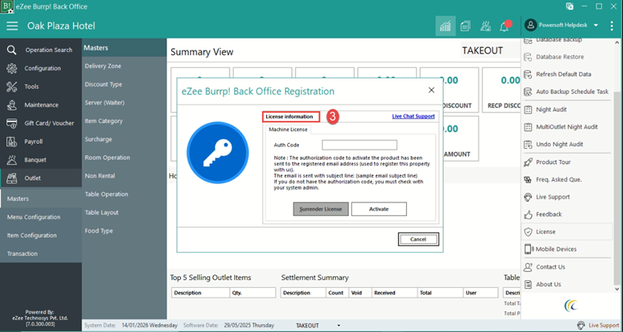
4. Click License information.
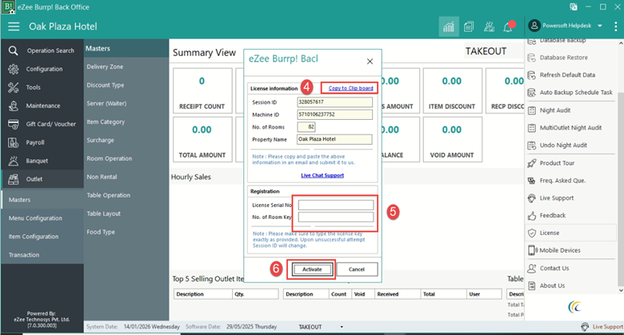
5. Click Copy to clipboard.
- Forward copied details to Overall Administrator (CEO) to generate the License Serial No. and No. of Room Key.
5. Paste these digits into the marked fields as shown.
6. Click on Activate.
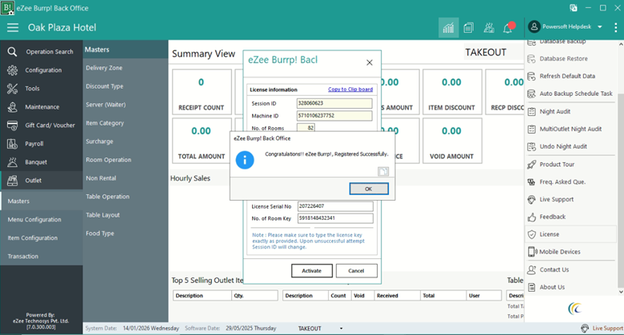
Note: Repeat steps 1-6 to relicense modules in the software.
Was this article helpful?
No comments yet. Login to start a new discussion Start a new discussion