Setting Exchange Rates in ERPNext
By Bright Lartey on January 22, 2026
IntermediatePurpose
To correctly process transactions involving foreign currencies.
Steps to Set Exchange Rates Manually
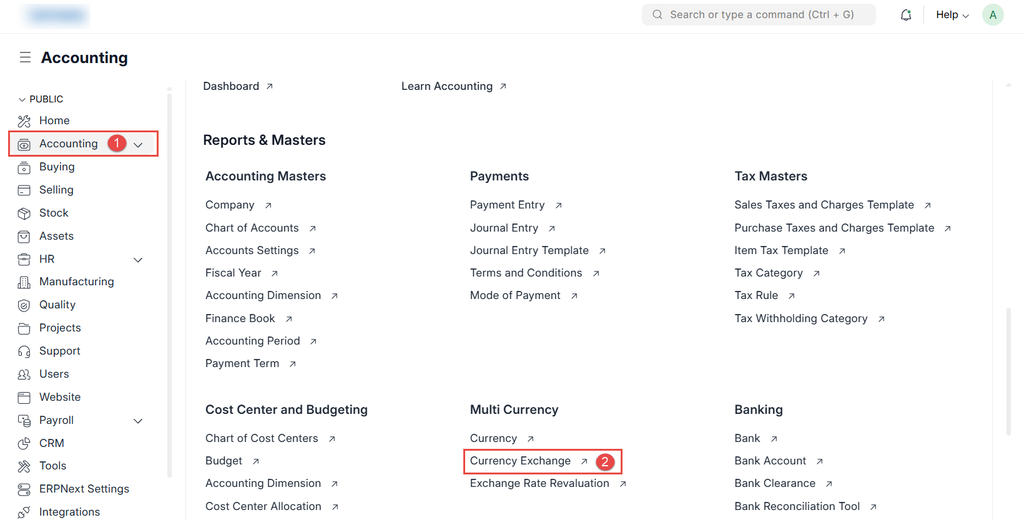
- Go to Accounting → Currency Exchange
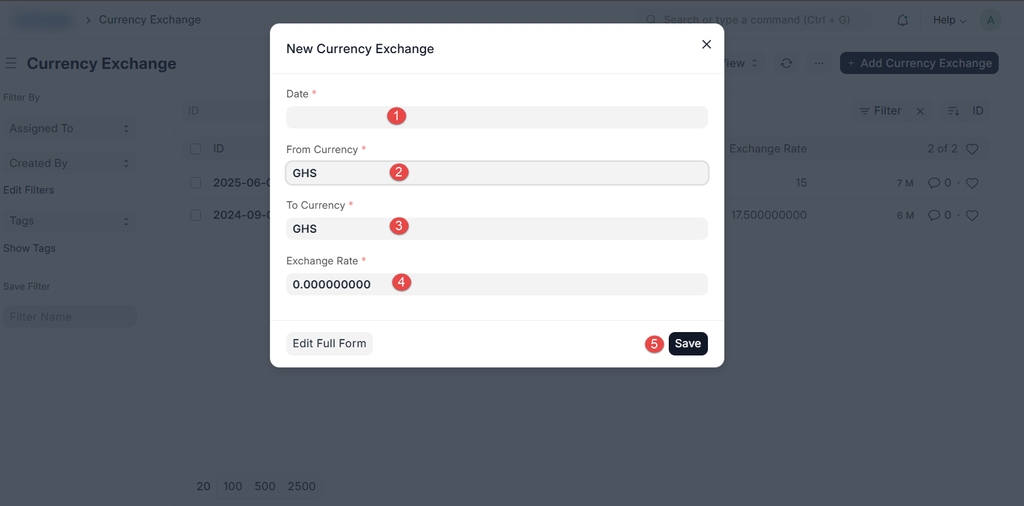
- Click New
- Select:
- From Currency
- To Currency
- Enter the Exchange Rate
- Set the effective Date
- Save
Key Notes
- Rates are date-sensitive
Was this article helpful?
No comments yet. Login to start a new discussion Start a new discussion