Pick List Workflow in ERPNext (Pick List → Stock Entry)
By Bright Lartey on January 22, 2026
IntermediatePurpose
To correctly pick items from the warehouse and update stock quantities.
Step 1: Create a Pick List
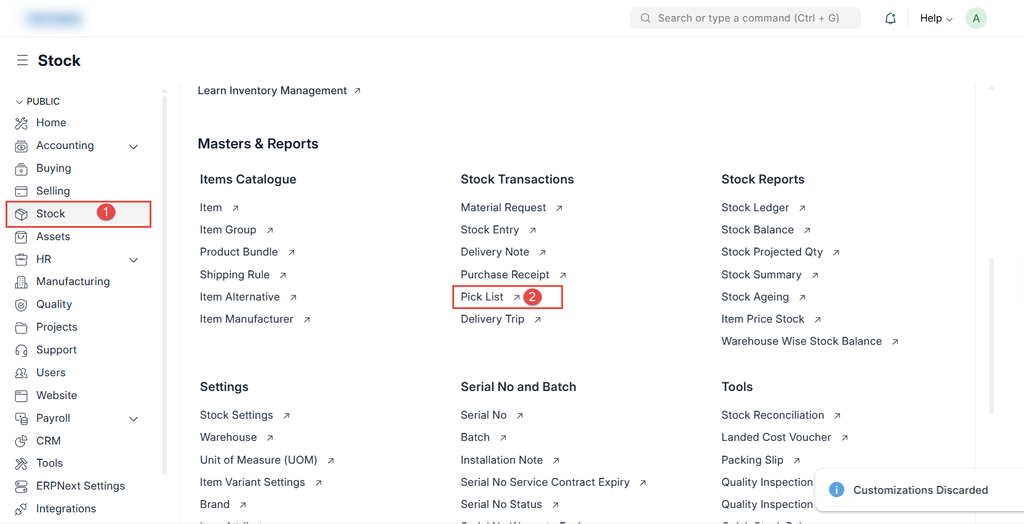
- Go to Stock → Pick List
- Click New
- Select a reference document (Sales Order or Material Request)
- System auto-fetches items
- Save
📷 Screenshot Placeholder – Pick List Creation
Step 2: Pick Items
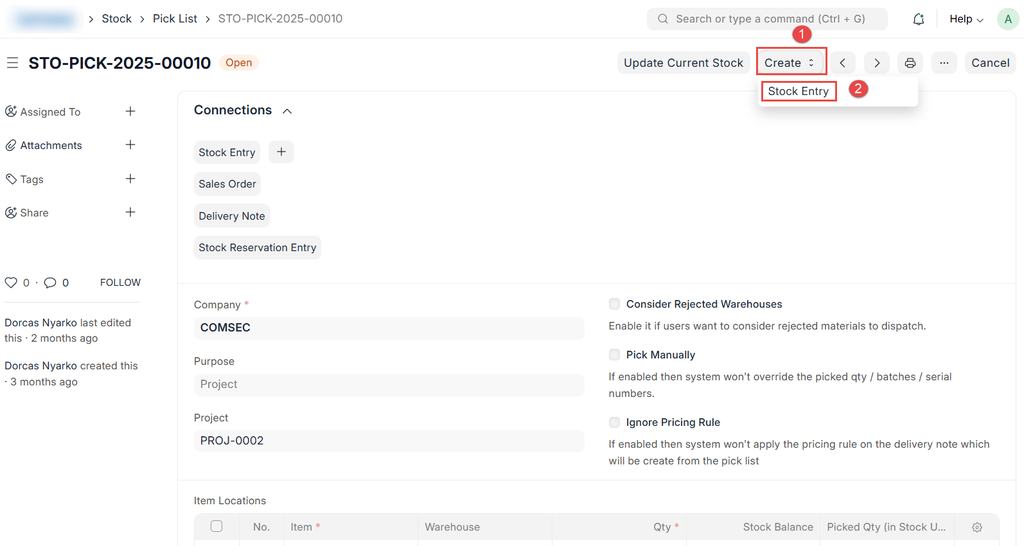
- Open the Pick List
- Confirm picked quantities
- Enter serial or batch numbers if required
📷 Screenshot Placeholder – Picking Items
Step 3: Create Stock Entry
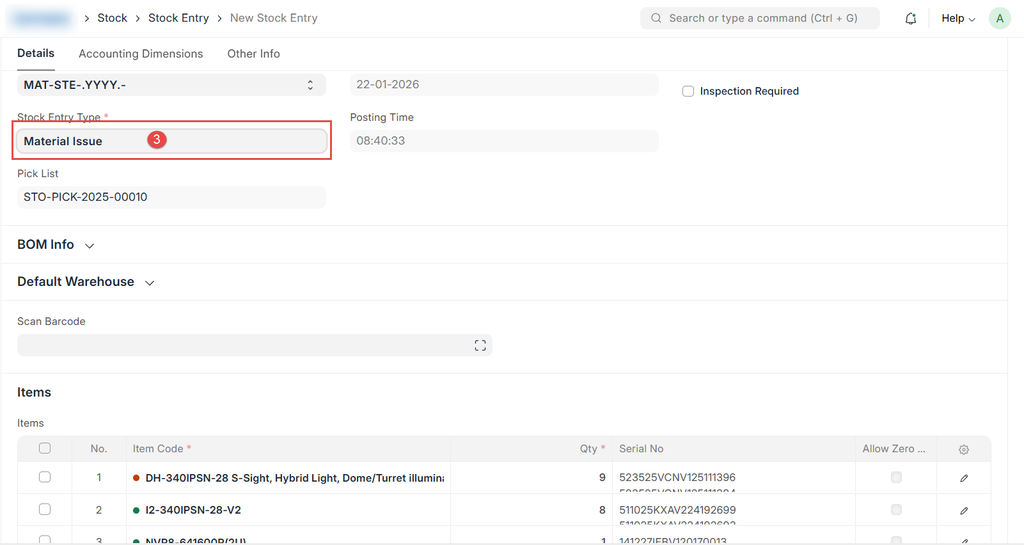
- From the Pick List, click Create → Stock Entry
- Verify items and quantities
- Submit the Stock Entry
Was this article helpful?
No comments yet. Login to start a new discussion Start a new discussion