Modifying The Columns In An ERPNext Child Table
By Lucas Koomson on February 6, 2026
IntermediateERPNext allows you to customize the columns shown in a child table, such as the Items table in a Stock Entry. You can add or remove fields and adjust column widths to suit your data entry needs.
Steps to Modify Child Table Columns
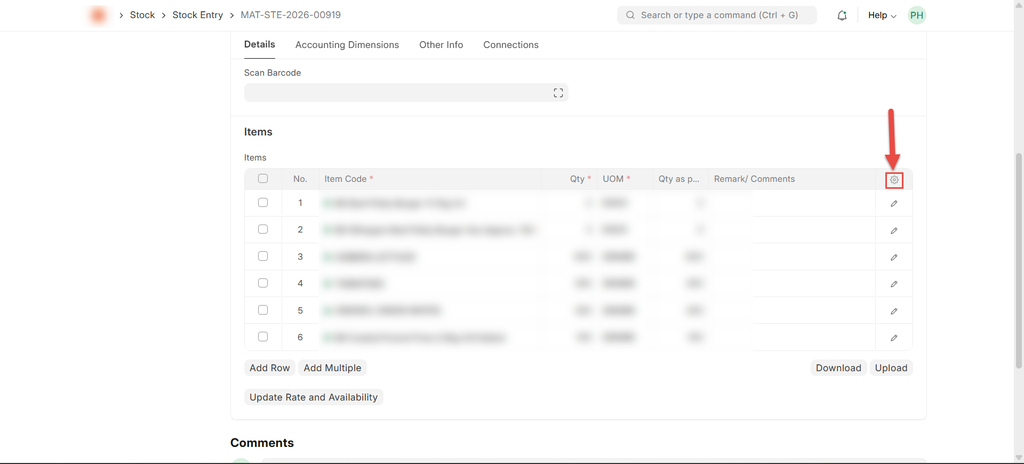
Step 1: Open Column Settings
- Open the document (for example, Stock Entry)
- Scroll to the child table (Items)
- Click the gear icon (⚙️) on the far right of the table header
Step 2: Add or Remove Columns
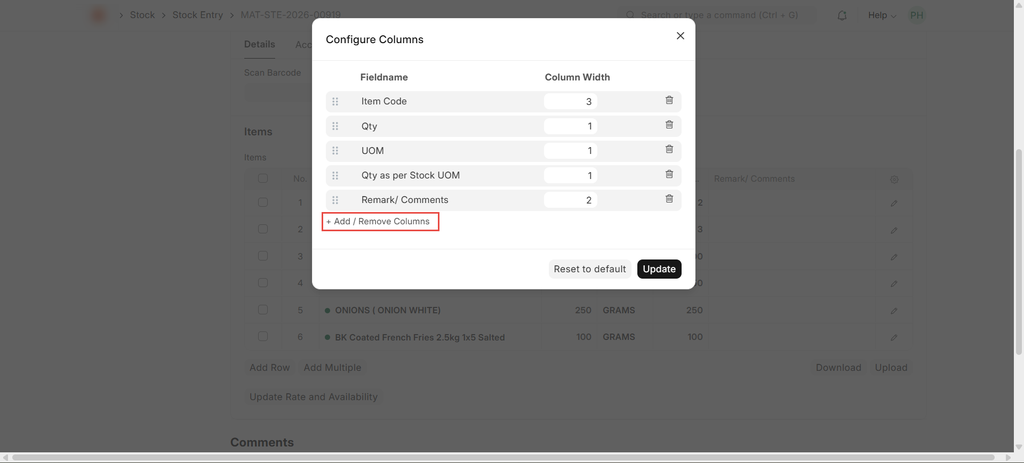
- In the Configure Columns window, click Add / Remove Columns
- Select the fields you want to show (for example, Valuation Rate, Amount)
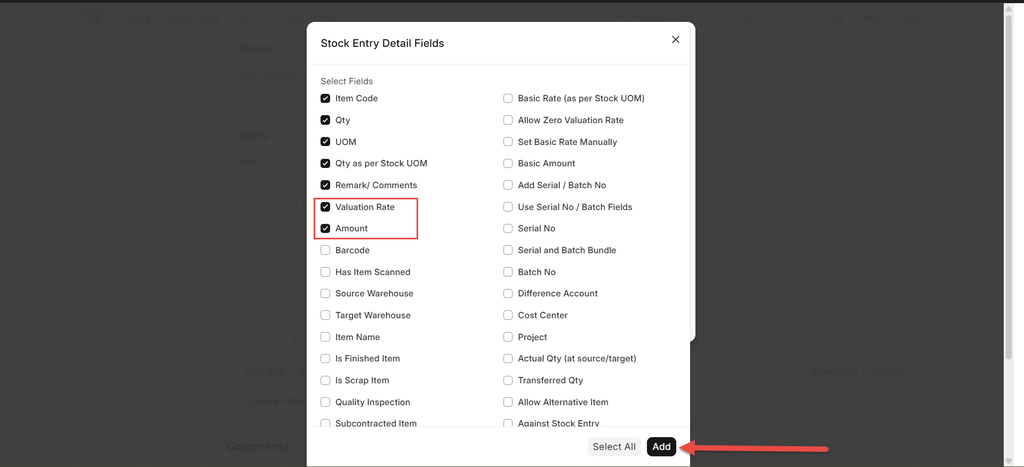
- Click Add
Step 3: Adjust Column Widths
- Review the column width values for each field
- Click Update to apply the changes
- Use Reset to default if you want to revert
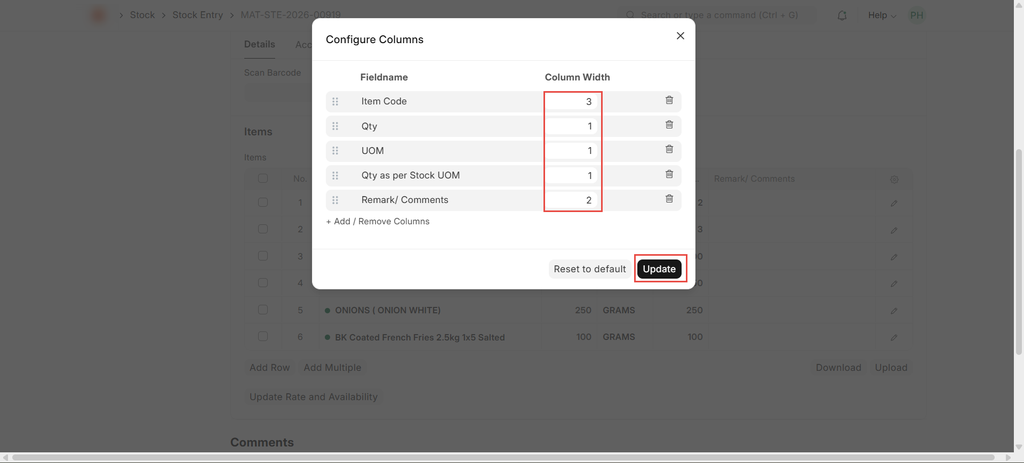
Note: The total Column Width for all columns should not be greater than 10.
Was this article helpful?
No comments yet. Login to start a new discussion Start a new discussion