Item Balance Quantity Report (Stock Balance Customisation)
By Bright Lartey on January 22, 2026
IntermediatePurpose
To provide a customised Stock Balance report tailored for operational stock visibility.
Solution Overview
A custom report has already been created and named:
Item Balance Quantity Report
How to Access the Report
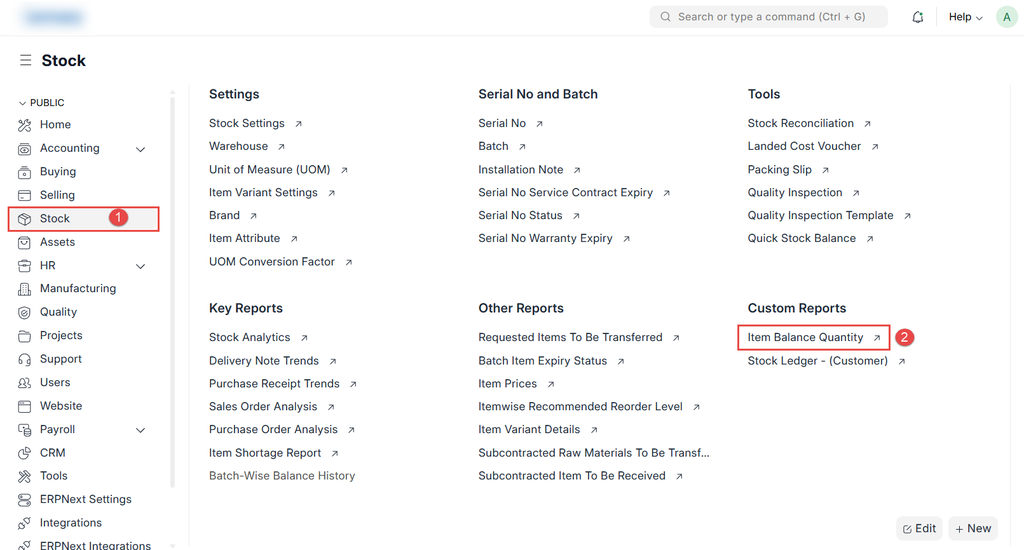
- Go to Stock → Reports
- Search for Item Balance Quantity Report
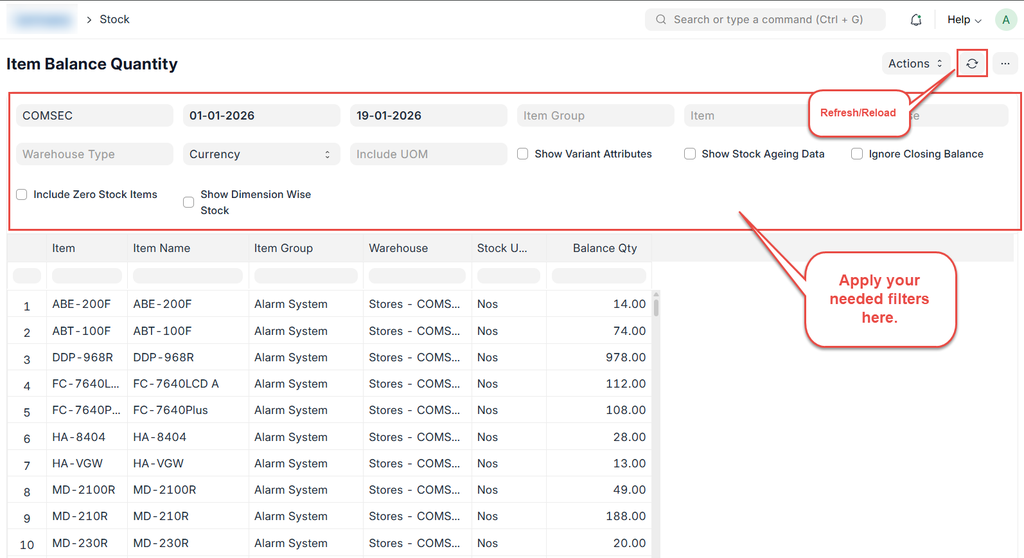
- Select the required filters:
- Company
- Item
- Warehouse
- Click Refresh/Reload
When to Use This Report
- Daily stock checks
- Sales and dispatch verification
- Inventory reconciliation
Was this article helpful?
No comments yet. Login to start a new discussion Start a new discussion