How to Merge Accounts In ERPNext
By Lucas Koomson on February 25, 2026
IntermediateIf you want to consolidate balances from two or more accounts into a single account in ERPNext, you can use the Merge Account feature. Follow the steps below:
Step 1:
Go to Accounting > Chart of Accounts (search for "Account List" in the "Global Search Bar") and open the account you want to merge into another account.
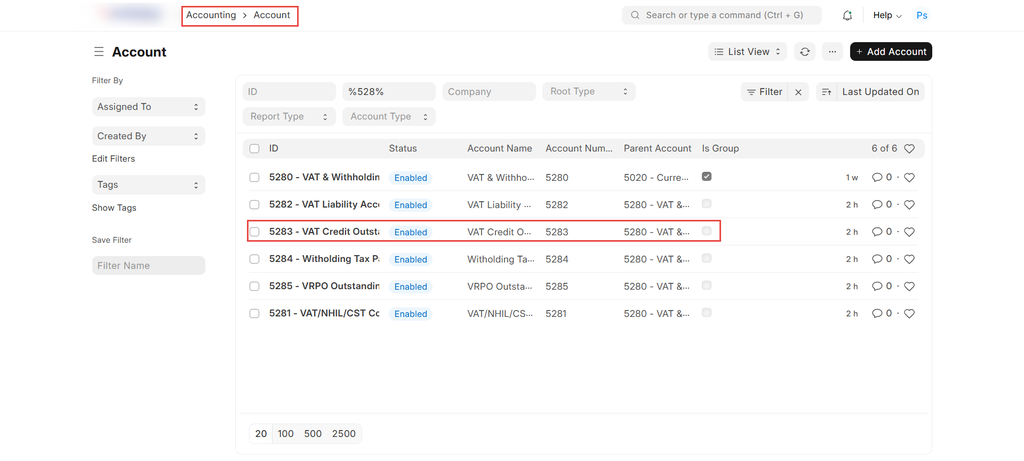
Step 2:
Click on Actions and select Merge Account.
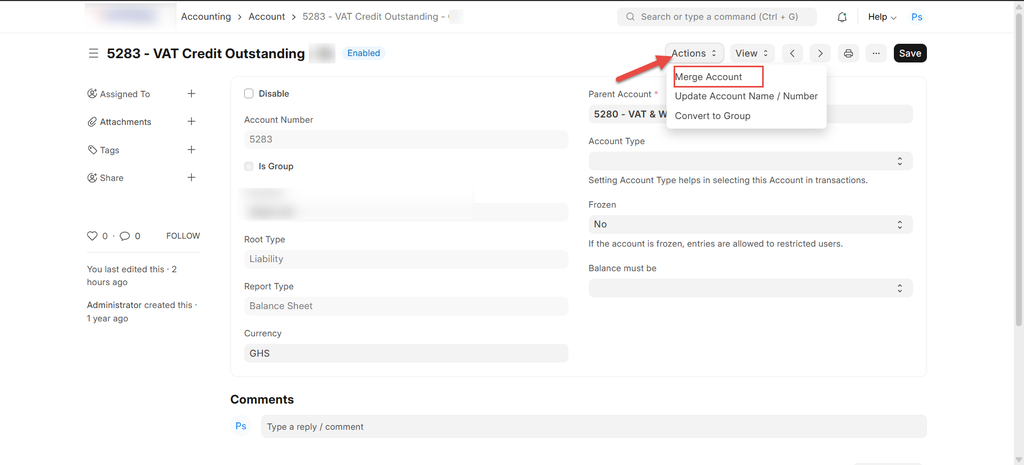
Step 3:
In the Merge with Existing Account field, enter the name of the account you want to retain after the merge and click "Merge" to complete the process.
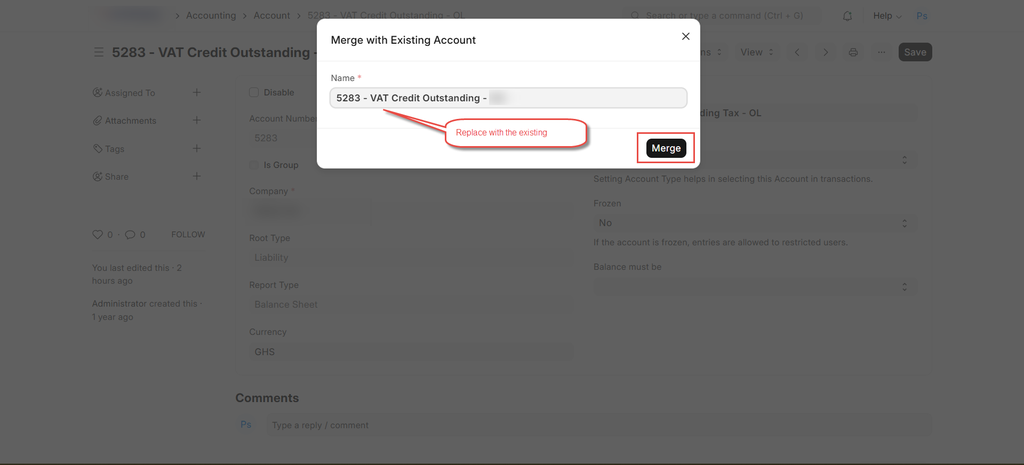
Notes:
- Accounts can only be merged if the following properties are the same in both accounts: Is Group, Root Type, Company, Account Currency
- This action is permanent and cannot be undone. Please ensure you are merging into the correct account before proceeding.
Was this article helpful?
No comments yet. Login to start a new discussion Start a new discussion