How to enable Manual entry for Invoice Table in Subscriptions
By Aylmer Ametewee on December 13, 2024
BeginnerBy default, when trying to manually link an invoice to a Subscription, it will not be possible to do so since the field is usually read-only by default.
To change it to manual entry, you do the following:
- Make sure developer mode is enabled and follow below screenshots.
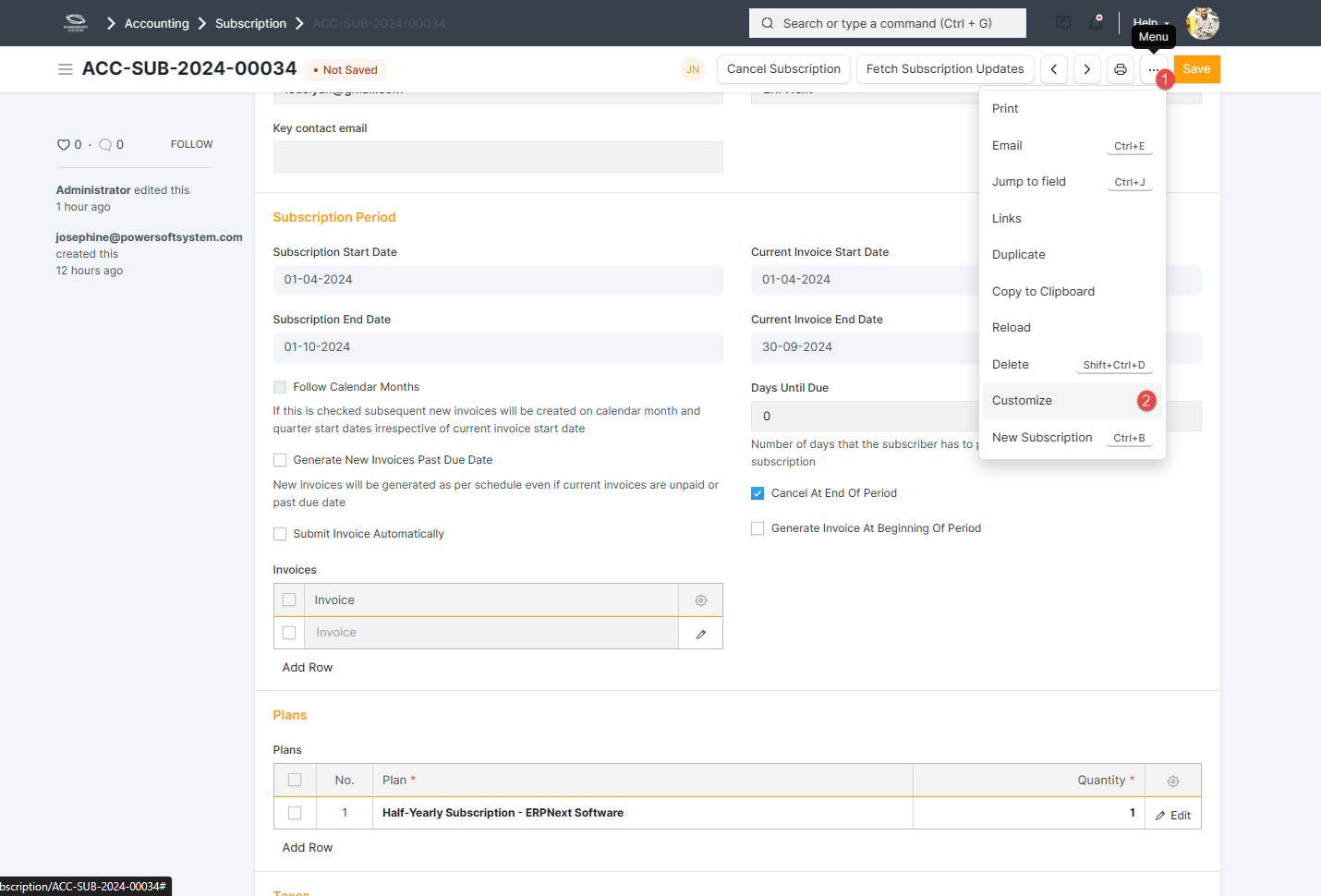
- From your subscription document, just click the three dotted button and select customize.
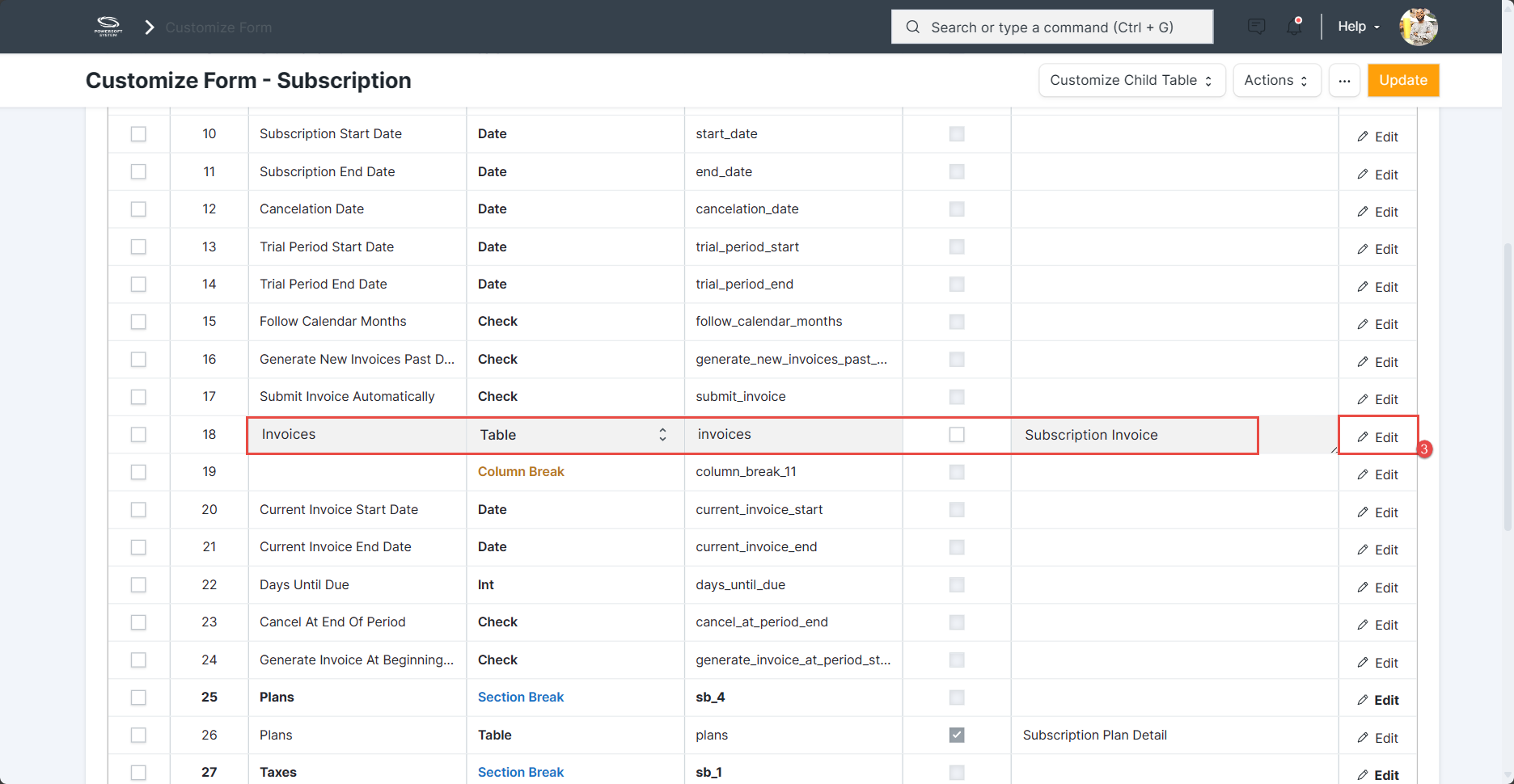
- On clicking of customize the below screen will pop up, scroll down and in the 'Invoice' row, click edit to the far right.
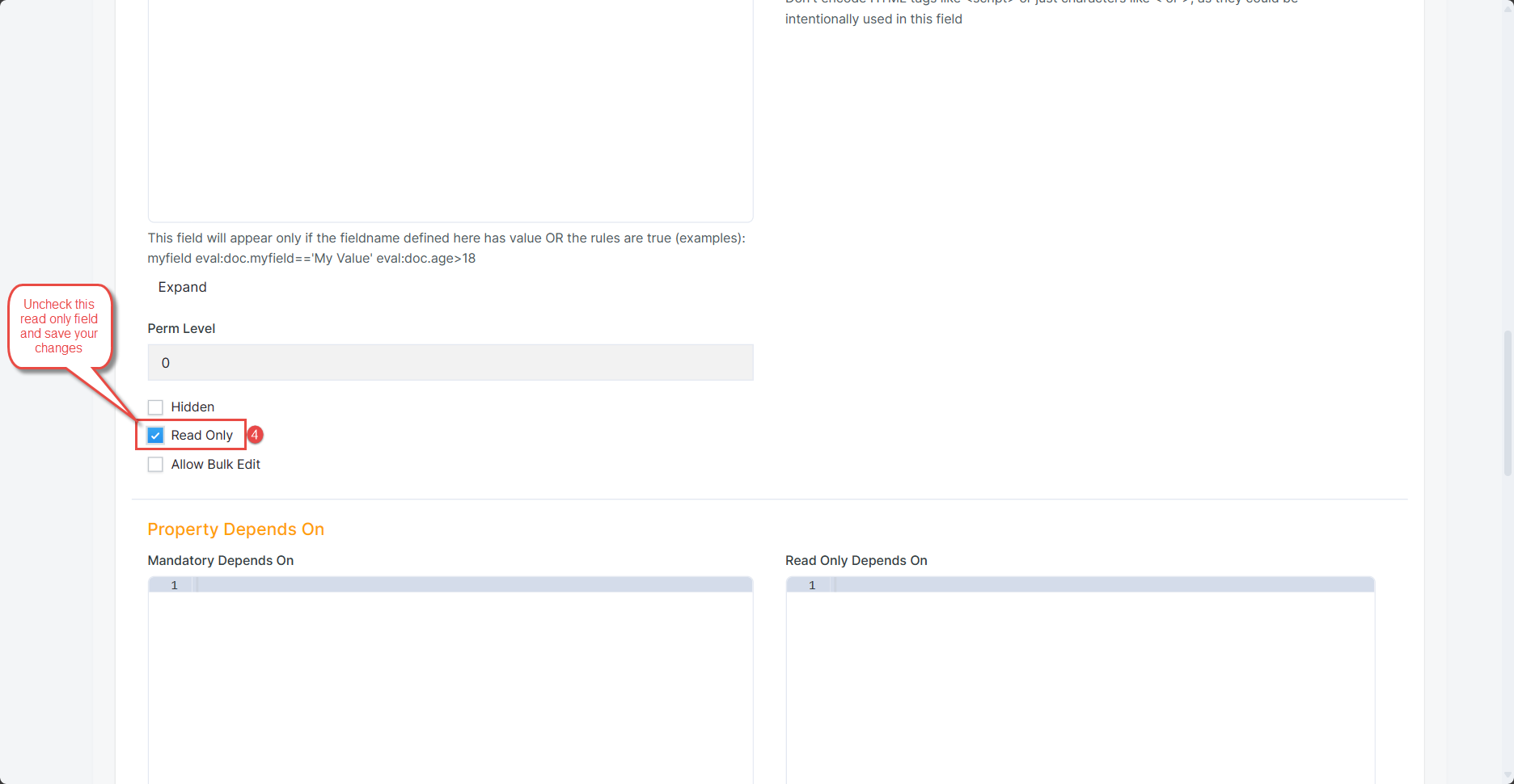
- In the below screen, uncheck the read-only checkbox and save your changes.
Was this article helpful?
More articles on Erpnext