Displaying Item Balance Quantity in Sales Invoice (Child Table)
By Bright Lartey on January 22, 2026
IntermediateDisplaying Item Balance Quantity in Sales Invoice (Child Table)
Purpose
To view an item’s available balance directly within the Sales Invoice Items table.
Steps to Enable the Field (Using Gear Icon)
- Open a Sales Invoice
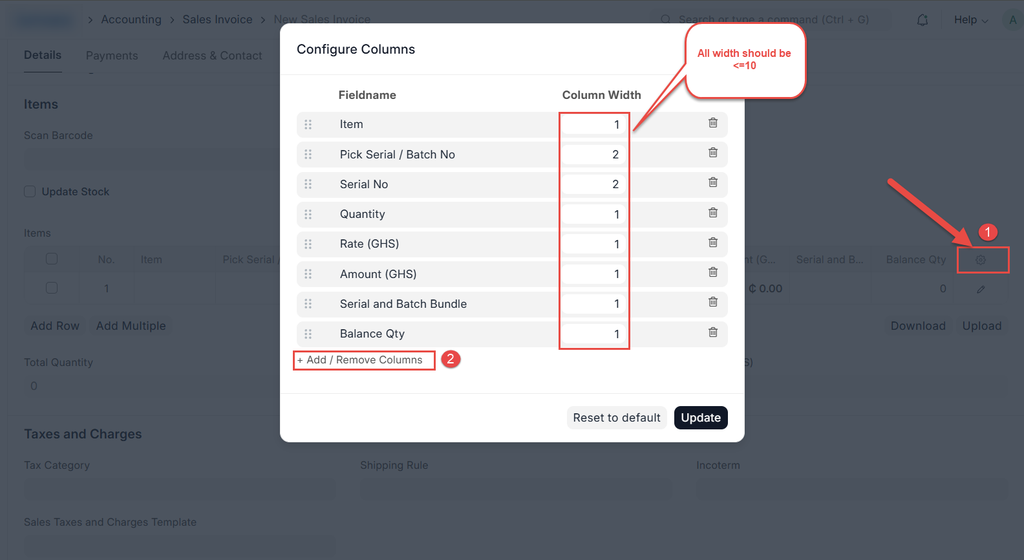
- In the Items table, click the ⚙️ Gear (Settings) icon
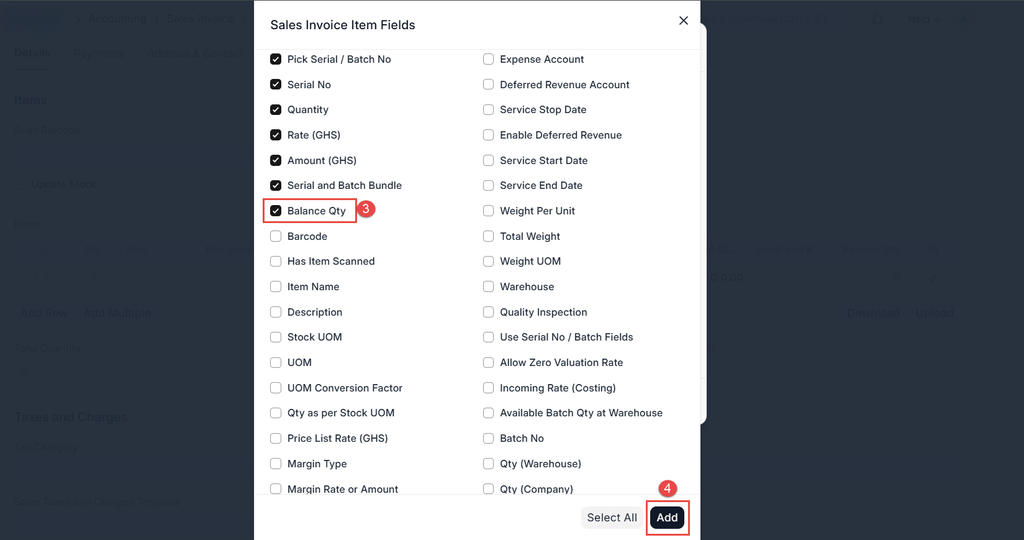
- Click on "Add/ Remove Columns" and locate the custom field for Balance Quantity
- Tick the checkbox to enable it
- Click "Add" and "Update"
Important Notes
- This setting is user-specific
- Each user must enable it individually
Was this article helpful?
No comments yet. Login to start a new discussion Start a new discussion