Creating a Project with Customer Details
By Bright Lartey on January 22, 2026
IntermediatePurpose
To manage customer-related projects correctly.
Steps to Create a Project
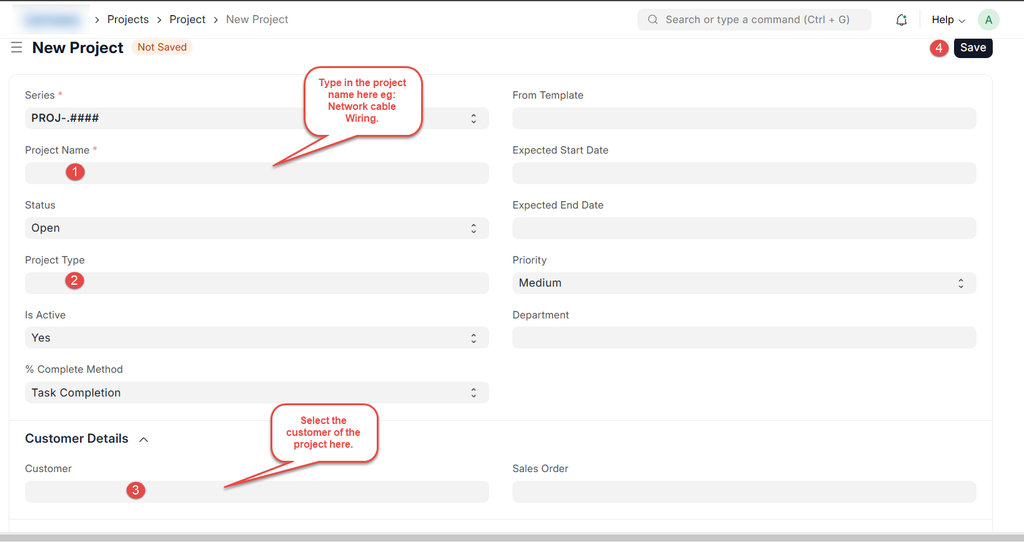
- Go to Projects → Project
- Click New
- Enter:
- Project Name
- Customer
- Sales order
- Set Project Type and Status
- Save
Important Note
Linking the Customer ensures proper billing and reporting.
Was this article helpful?
No comments yet. Login to start a new discussion Start a new discussion